Updated: Feb 06, 2026 By: Marios

Many design tools make moving from a blank page to a finished design harder rather than easier. You spend hours tweaking pixels, stuck on your creative blocks that kill momentum.
Luckily, some solid AI tools for UI/UX design are changing this. The best ones don't just speed up design work—they help you brainstorm, test more ideas, get user feedback faster, and come up with products people actually want to use in a fraction of the time it used to take.
We've hand-picked the top seven platforms so you can see which one fits your design process: Flowstep, Figma Make, Google Stitch, UX Pilot, Visily AI, Motiff, and Banani. We'll cover what each UI generation platform does best and who should use it.
What AI can and can't do for UX design
Let's get this out of the way: artificial intelligence isn't after your job.
AI can:
- Automate repetitive tasks, such as creating design variations, organizing layers and generating placeholder content.
- Generate starting points and design inspiration with plenty of options in minutes.
- Speed up ideation. Product teams can visualize concepts and export them as code or copy them into Figma, making a massive shortcut from idea to product.
AI can't:
- Replace strategic thinking. You still decide what to build and why, based on qualitative data and insights from product and user research.
- Understand your users. These AI assistant tools don't conduct interviews, run UX research, or feel the frustration of a broken checkout flow.
- Make empathetic choices. Design decisions that balance business goals with user needs still require human creativity and judgment. AI has limitations when it comes to understanding context and emotional nuance.
Treat AI as your design assistant. It handles grunt work so you can focus on great UX and solve complex problems for real users. The tools below can help you with different parts of the UX process.
Best 7 AI UI/UX design tools: Quick overview
Here's how the top AI tools for UX design stack up:
| Tool | Best for | Key strength(s) | Monthly billing starting price | Free option |
| Flowstep | Product teams who need to go from idea to production-ready UI fast | Complete experiences on infinite canvas + instant Figma copy-paste + production code export | $15 | ✅ |
| Figma Make | Generating interactive prototypes | Clickable output, direct editing, prompt-to-prototype | $20 | ✅ |
| Google Stitch | Fast prototyping and minimalist designs | Prompt + image-to-UI, Figma and code export | N/A | ✅ |
| UX Pilot | Designers who want to generate wireframes before building | Predictive heatmaps showing where users will look first | $19 | ✅ |
| Visily AI | Teams starting from templates or existing UI screenshots | Templates + screenshot-or sketch-to-design | $14 | ✅ |
| Motiff | Teams with established design systems | Built-in component libraries that match production code | $20 | ✅ |
| Banani | Multi-screen prototyping from text descriptions | Designs using screenshots or Figma links as guides | $20 | ✅ |
Top AI tools for UI and UX design in 2026: Detailed comparison
Now let's see what each of these top AI UI design tools actually delivers.
Flowstep
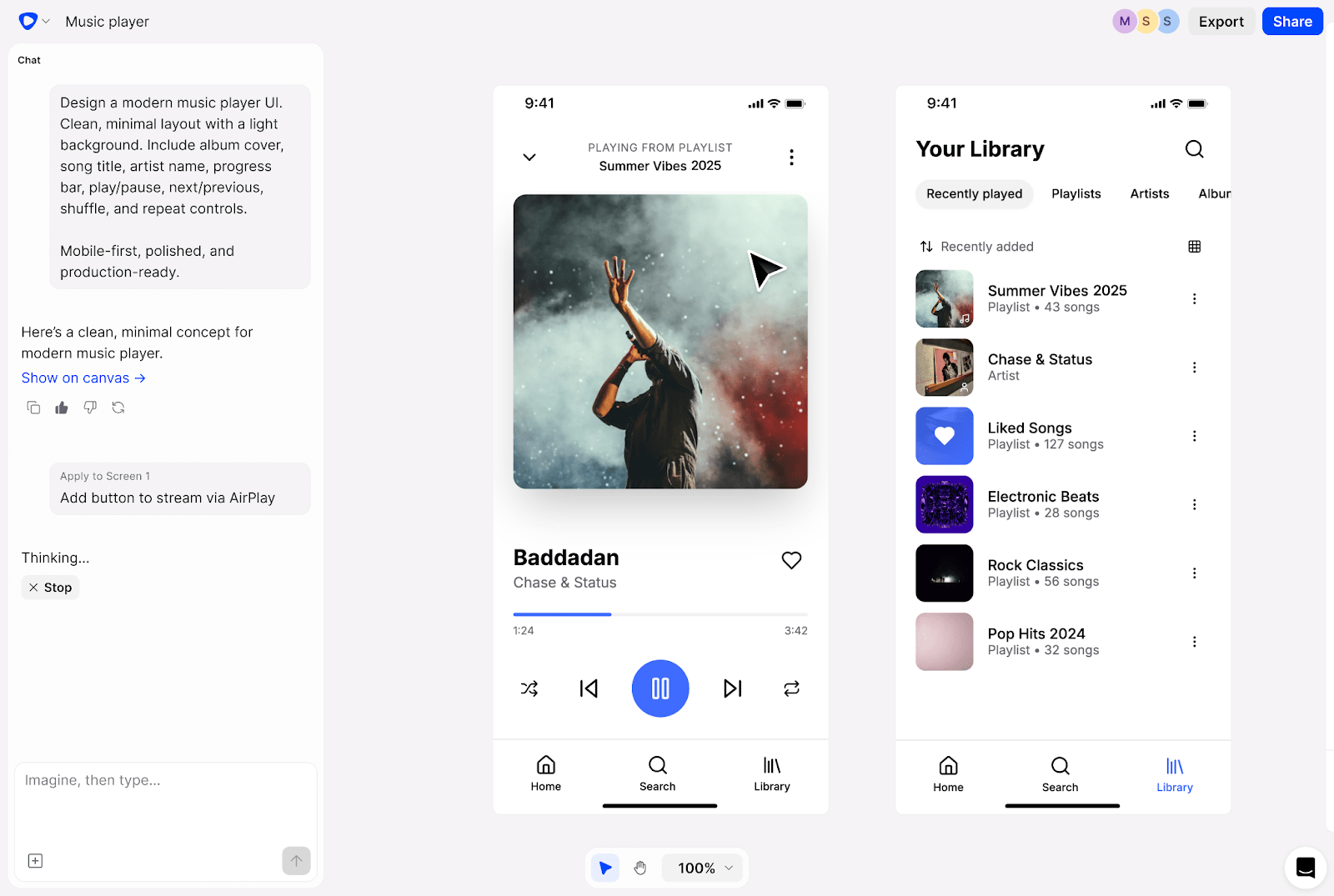
Flowstep turns product ideas into editable UI designs in seconds. Describe what you want, and get complete, polished designs on an infinite canvas—login screens, dashboards, settings pages, the whole experience in one easily editable view.
The platform was designed to cover the needs of anyone building professional products— both designers and people with zero design or tech skills. Product managers use it to test concepts with users before developers write any code. Founders sketch out MVPs. Engineers grab design inspiration without waiting for the design team. Designers use it to think faster.
Unlike other AI tools that lock you into their editor, Flowstep lets you instantly move any design straight into Figma with ⌘C and ⌘V. No plugins, no export headaches. Just select the screens you want and paste them into your existing workflow.
Flowstep's real-time collaboration means your whole team can jump in at any point. Someone in marketing can tweak copy while you adjust layouts. Everyone sees changes instantly. It's become the go-to tool for teams that need to move fast.
Features
- Instant UI generation from prompts: Chat with Flowstep like you're briefing a designer. It generates full experiences at once, not just single screens (for desktop and mobile)
- Multiple screens at once: Create entire user journeys in one go
- Instant Figma integration: Copy designs with ⌘C/⌘V, layers, and all components stay organized and editable
- Design using references: Upload images, attach PRDs, or paste links to guide the AI
- Full editing control: AI handles the heavy lifting, but you can customize every detail manually
- Production-ready code export: Get clean React, TypeScript or Tailwind CSS code with one click
- Unlimited collaborators: Add any number of people working on the project for free, without per-seat pricing
Pricing
Flowstep is free to start. You get enough credits to test the platform and see if it fits your workflow.
The Starter pack is $15/month. Pricing varies based on monthly messages. There is also a 20% annual payment discount and a custom enterprise option.
Figma Make
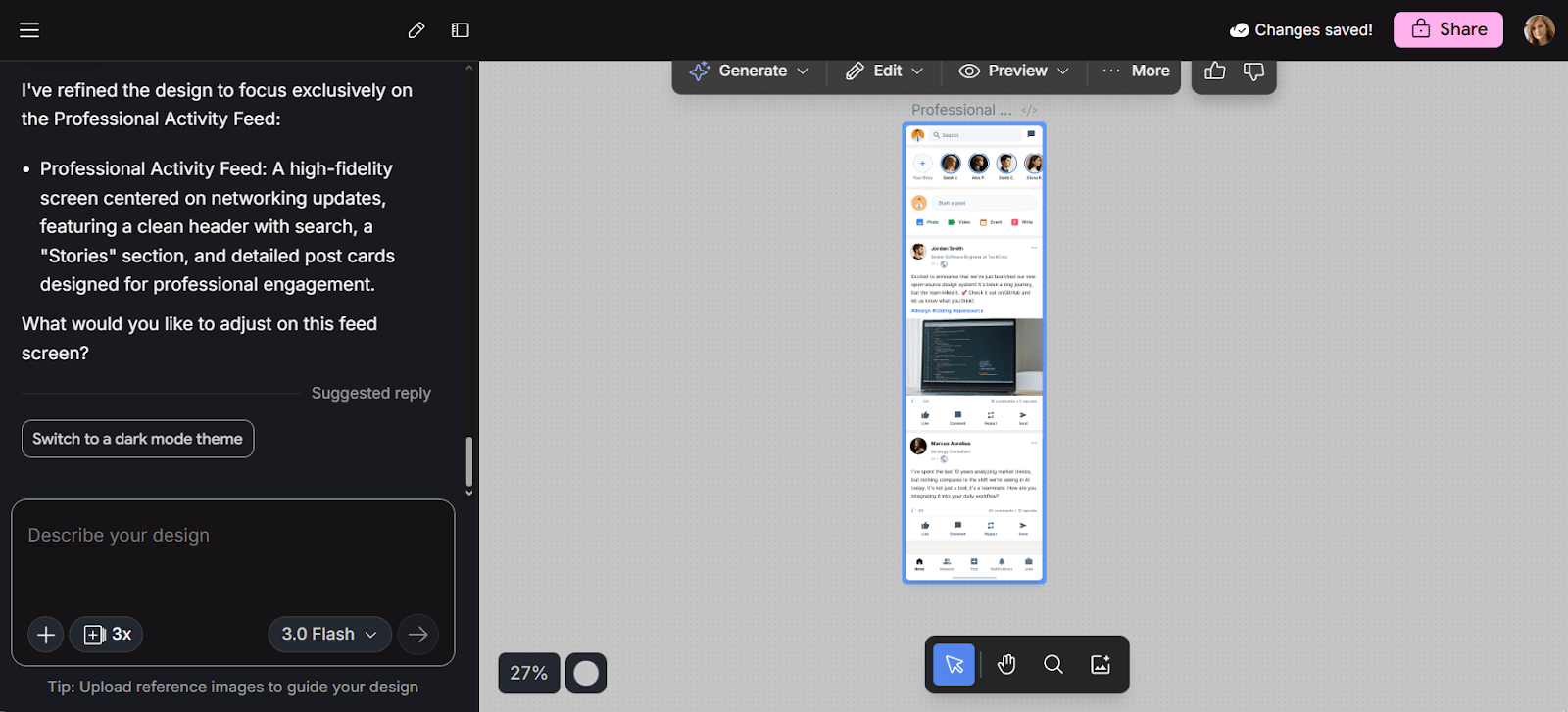
Figma Make is Figma's AI prototyping tool. You start with a prompt or existing design, then use Figma AI to iterate toward a functional prototype.
The tool integrates directly with your Figma libraries, so designs generated match your existing components and styles. You can also select any element in the preview, type what you want to change, and the AI updates that specific part.
Features
- Prompt-to-prototype generation: Start from scratch or build on existing Figma designs
- Design system integration: Work from your Figma libraries
- Point-and-edit interface: Select and modify specific elements with natural language
- Direct editing: Manually adjust copy, images, padding and margins
- Copy to Figma Design: Move AI-generated screens into your main design file
- Interactive prototypes: Create clickable, shareable demos
Pricing
Figma Make is only included in the Full package, which starts from $20/month. Free users get limited credits.
Google Stitch (Galileo AI)
Google Stitch generates UI designs from text prompts or uploaded images. It's built by the team that acquired Galileo AI, now powered by Google's Gemini AI models.
You describe an interface or upload a sketch, and Stitch generates mobile or web designs. There are Figma export or HTML/CSS code download options.
Features
- Prompt-based generation: Describe your app and get multi-screen mockups
- Image-to-UI transformation: Upload sketches or screenshots for AI conversion
- Two generation modes: Standard for speed, Experimental for quality, with different usage limits
- Figma export: Transfer designs with layers and structure intact
- Code export: Get HTML and CSS for development handoff
- Design variations: Generate multiple visual approaches from one prompt
Pricing
Google Stitch is currently free. No paid plan exists yet, though unknown generation limits apply.
UX Pilot
UX Pilot generates wireframes and high-fidelity designs from text prompts. Describe a feature, pick your fidelity level (wireframe or hi-fi), and get editable screens.
The wireframe designer creates individual screens with visual hierarchy. You can upload reference images to guide the style, then edit using chat-based prompts. Need to change a specific section? Select it and tell UX Pilot what you want differently.
The predictive heatmap feature shows where users will likely look first, giving you anticipated attention insight before testing.
Features
- AI wireframer: Creates flexible wireframes for desktop and mobile
- Hi-fi designer: Produces polished screens with layout control
- Figma plugin: Transfer designs to Figma AI
- Screen flows and UX frameworks: Map out user journeys and UX flows
- Chat-based iteration: Refine designs through conversational prompts
- Source code generation: Export HTML/CSS to bridge design and development
Pricing
- Free plan: Seven-screen limit
- Standard: $19/month
- Pro plan: $29/month
- Teams: $39/user/month
Yearly billing discounts apply and custom pricing is available for larger organizations.
Visily AI
Visily AI has multiple customizable templates for inspiration, plus AI features that convert screenshots and sketches into editable designs.
The drag-and-drop interface lets you start from a template, upload a screenshot of an existing app, or sketch something on paper and have Visily turn it into a digital mockup.
It includes collaboration tools like annotations, chat, shared libraries and sharing.
Features
- Templates: Pre-built screens for web and mobile apps
- Screenshot-to-design: Upload existing UI and recreate it as editable components
- Sketch-to-design: Turn hand-drawn wireframes into digital mockups
- Theme generation: Create and manage consistent visual styles across projects
- Prototyping: Build interactive demos to test user flows
- CSS inspection: View code properties for developer handoff
Pricing
- Starter: Free for two editable boards and limited credits
- Pro: $14/editor/month
- Business: $29/editor/month
- Enterprise: Custom
Only the Pro plan is available with an annual billing discount.
Motiff
Motiff is an AI-powered design tool that generates UI from prompts. You can start with presets like Material Design, Ant Design or Shadcn UI components. The established component libraries make the designs generated match production code.
There are auto layout options for responsive designs without manual spacing adjustments. The tool also exports production-ready React and HTML code for development handoff.
Features
- AI UI generation: Create designs from text, images, wireframes or presets
- Built-in design systems: Material, Ant Design and Shadcn included
- Auto layout: Responsive designs without manual configuration
- Code export: Get HTML and React code
- Figma integration: Export generated UI to Figma in bulk, as Figma files or by copying layers
Pricing
- Free plan: 100 credits/month, up to 10 UIs
- Pro plan: $20/month with 1,000 credits/month
Annual billing discounts apply.
Banani
Banani converts text prompts into multi-screen prototypes. Drop in a product description to get editable UI designs with screen-to-screen flows.
You can upload screenshots or Figma links as a reference, and Banani applies the visual style to the generated designs.
Features
- Text-to-prototype generation: Describe your product and get multi-screen designs
- Reference-based design: Upload images or paste Figma links to guide visual style
- Style customization: Adjust colors, typography, and design tokens with AI or manually
- Export options: Move designs to Figma or save as editable code or images
- Real-time collaboration: Work with your team on shared prototypes
- Interactive prototyping: Test user flows with clickable edits, presets and themes
Pricing
Banani has a free option, and the paid plan starts at $20 monthly.
Transform your UX workflow with AI
The right AI tool for designers can save you hours every week on repetitive tasks. These platforms handle everything from generating UI/UX variations to creating layouts and organizing screens, so you can focus on the strategy and UX research instead of spending time on manual repetitive work.
Flowstep stands out if you need to move fast through your design journey. The infinite canvas approach lets you map complete user experiences without switching tools, and the instant Figma copy-paste lets you incorporate Flowstep into your existing workflow. Product and design teams use Flowstep to test ideas before committing to development, cutting weeks off the validation cycle and moving to a usable product in no time.
Start with the free plan to see how it fits your design process. Generate a few flows, test with your team, and see how you can save time while making impactful designs.
FAQs
Do I need design or tech skills to use AI tools for UX design?
No. Most AI tools for UX design are built for non-designers. Describe what you want in plain language, and the AI generates layouts. Tools like Flowstep make it possible for more people to participate in design, and visually communicate their ideas. You'll get better results if you understand basic UX principles, but the tools themselves don't require technical skills.
How much do AI-powered tools for UX design cost?
Pricing varies widely. Tools like Flowstep offer free plans with enough features to test the platform. Paid plans range from $14-$20 minimum. Most platforms use credit systems—you get a certain number of AI generations per month depending on your tier.
How do AI models handle revisions and iterations of the designs generated?
Most platforms use chat-based editing, among other features. You select a screen or element and describe changes in natural language. Tools like Flowstep let you iterate multiple times on the same design, refining specific sections without regenerating everything. You can also manually edit any generated design (adjust spacing, swap images, rewrite copy), just like in traditional design tools.
How can AI be used in the UX design process?
AI speeds up the early stages of UX work. It generates AI wireframes and high-fidelity mockups from text descriptions, creates design variations to explore different approaches, and builds complete flows showing how screens connect. Teams use AI to test concepts with users before writing code. AI can't replace human creativity, compassion or strategic thinking, but it removes the tedious part of visualizing ideas so you spend more time solving actual user problems.


