ScreenSnap Pro is a comprehensive screenshot, screen recording, and visual communication tool built for professionals, creators, marketers, developers, educators, and teams who regularly need to capture and share information from their screens. Rather than functioning as a simple screenshot utility, it combines screen capture, annotation, image enhancement, recording, OCR, and sharing tools into a single streamlined workflow. Users can capture selected areas, application windows, full screens, or entire web pages, then quickly edit and present those captures in a more polished and professional way.
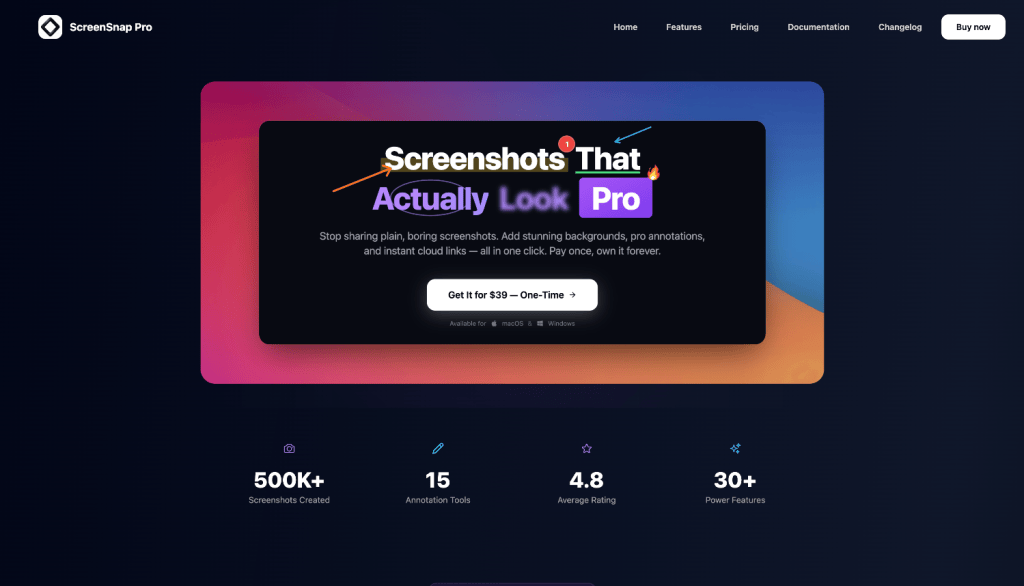
The platform includes a wide range of tools for improving screenshots, such as custom backgrounds, gradients, shadows, rounded corners, padding, arrows, shapes, text, highlights, blur effects, pixelation, counters, emojis, and other annotations. This makes it especially useful for creating product tutorials, software documentation, bug reports, client feedback, social media visuals, help-center content, presentations, and internal team communication. Instead of taking a raw screenshot and moving it into a separate design application, users can prepare finished visuals directly inside ScreenSnap Pro.
ScreenSnap Pro also includes screen and GIF recording capabilities, allowing users to create short demonstrations, walkthroughs, tutorials, and product showcases. Recordings can include microphone audio, system audio, and webcam footage, while built-in editing tools help improve the final presentation with effects such as zooming, backgrounds, spacing, and visual framing. These features make the software suitable for explaining workflows, demonstrating software features, reporting technical issues, onboarding customers, or creating educational content.
Additional productivity features include OCR text extraction, which allows users to copy text directly from images or anything displayed on their screen, as well as full-page website screenshot capture for saving complete webpages without manually stitching images together. Users can also pin screenshots above other windows for quick reference while working, use keyboard shortcuts for faster capturing, and instantly preview, edit, save, or share captures after they are created.
Overall, ScreenSnap Pro is designed to replace several separate screenshot, recording, annotation, and sharing tools with one unified application. Its focus is on speed, simplicity, and professional presentation, helping users turn ordinary screen captures into clear, polished visual content that can be used for communication, documentation, marketing, support, training, and everyday productivity.
Key Features
- Advanced Screenshot Capture – Capture specific areas, application windows, full screens, or complete webpages with fast keyboard shortcuts and flexible capture options.
- Screen & GIF Recording – Record tutorials, product demos, walkthroughs, presentations, or troubleshooting videos directly from your screen.
- Built-In Annotation Tools – Add arrows, text, shapes, highlights, counters, blur, pixelation, emojis, and other visual elements to explain ideas clearly.
- Professional Screenshot Styling – Improve screenshots with backgrounds, gradients, padding, rounded corners, shadows, and clean framing for a more polished look.
- Full-Page Website Capture – Save entire webpages in a single image without manually scrolling and stitching multiple screenshots together.
- OCR Text Extraction – Extract and copy text from screenshots, images, documents, and other on-screen content in seconds.
- Video Editing Tools – Refine screen recordings with zoom effects, backgrounds, spacing, cropping, and other presentation enhancements.
- Webcam & Audio Recording – Include webcam footage, microphone narration, and system audio when creating screen recordings.
- Instant Preview & Editing – Review screenshots immediately after capture and quickly edit, annotate, save, copy, or share them.
- Quick Sharing – Easily generate shareable content for clients, coworkers, support teams, documentation, social media, and online collaboration.
- Pinned Screenshots – Keep important screenshots floating above other windows so they remain visible while you work.
- Privacy-Focused Workflow – Keep captures stored locally when preferred, giving users greater control over sensitive screenshots and recordings.
- Customizable Keyboard Shortcuts – Speed up repetitive tasks by creating shortcuts for different screenshot and recording actions.
- Productivity-Focused Workflow – Reduce the need to switch between separate screenshot, image editing, recording, annotation, and sharing apps.
- Useful for Multiple Workflows – Ideal for software documentation, tutorials, customer support, bug reports, marketing content, design feedback, training, presentations, and team communication.


