Smallppt is an AI-powered presentation software designed for users who pursue both efficiency and beauty. With a simple interface, powerful editing tools, and a rich template library, you can effortlessly create professional-level powerpoint in minutes.
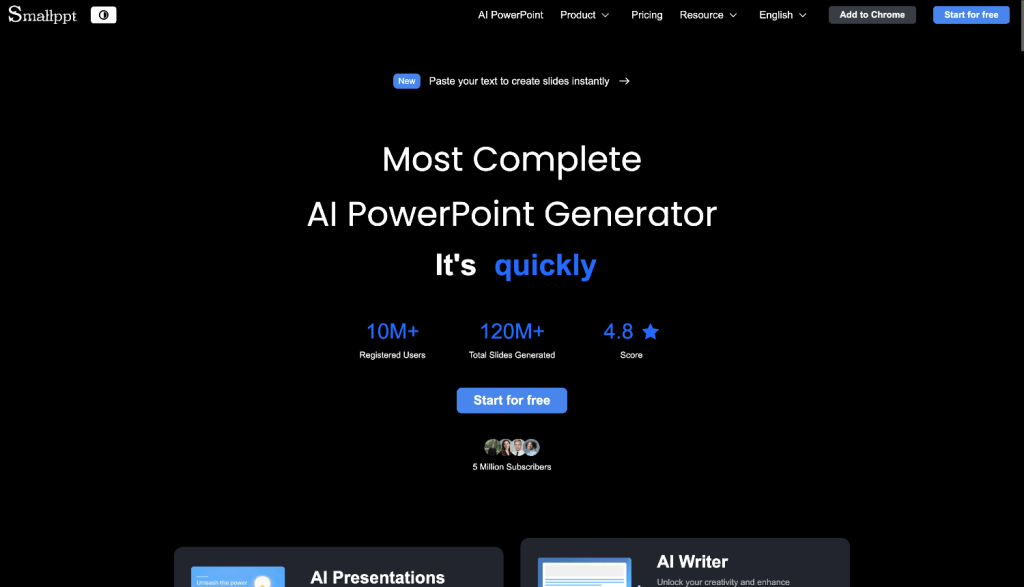
Some of the key features of Smallppt include:
- Intuitive Design
Smallppt features a clean and elegant interface that allows anyone to get started easily. Users can create professional-quality presentations within minutes—no design skills required. - Rapid Generation
Powered by advanced AI, Smallppt can instantly transform simple text prompts into fully structured, visually polished, and stylistically consistent presentations, dramatically improving productivity. - Real-Time Collaboration
Smallppt supports simultaneous editing, real-time commenting, and version tracking, enabling teams to collaborate smoothly and accelerate content creation. - Customizable Themes
The platform includes a rich library of high-quality templates that users can easily personalize. The design workflow is simple, flexible, and suitable for creators at all skill levels. - Versatile Content Input
Whether you provide text, upload a PDF or file, or paste a URL, Smallppt automatically extracts key information and converts it into clear, well-organized slides. - AI Creation Tools: With tools like AI Slides, AI Writer, and AI Chat, Smallppt enables efficient content ideation and creation across multiple formats.
Here are FAQ about Smallppt:
1. Is the template library extensive? Are templates categorized by industry or use case?
Smallppt offers a wide range of professional templates covering education, business, technology, creative industries, and more. Users can quickly select templates based on their needs and personalize them to suit their style.
2. How does team collaboration work? Can multiple users edit simultaneously?
Smallppt’s Team plan offers powerful collaboration features. Team members can simultaneously edit, preview, and share slides, ensuring a smooth and efficient workflow. One team subscription unlocks all premium features for every member—no separate accounts are required.
3. How fast does the platform generate presentations and how is the AI-generated content quality? Does it require extensive manual editing?
Powered by advanced AI, Smallppt typically generates well-structured, visually appealing presentations within a few dozen seconds. The content is intelligently optimized, requiring minimal manual adjustments to meet professional standards.
4.Does Smallppt support monthly or annual subscriptions? Can I cancel anytime?
Smallppt offers both monthly and annual subscription options, allowing users to choose according to their needs.
5. Does the platform support use across multiple devices (desktop, tablet, mobile)?
Smallppt fully supports multi-device usage, allowing users to create, edit, and view presentations on desktops, tablets, and mobile devices for efficient, on-the-go workflow.


